
Blazor Power Tools
The professional component library for Blazor developers
Ship faster with 35+ production-ready components. From form controls and date pickers to AI-powered transcription, GPU-accelerated animations, and real-time server monitoring — everything you need in one package.
Everything you need to build modern Blazor apps
A comprehensive toolkit covering UI, AI, media processing, and developer productivity.
Form & UI Controls
Dropdowns, date/time pickers, sliders, ratings, switches, text inputs, multi-selects, color pickers, checkboxes, file uploads, and more. All with validation, theming, and keyboard navigation.
AI & Audio
Speech-to-text with real-time transcription using pluggable backends — Whisper (local), Azure Speech Services, or OpenAI. Add voice input to forms or build full transcription workflows.
Images & Animation
GPU-accelerated animation effects via WebGL, image analysis with edge detection, carousels with GIF export, and ONNX-based object detection — all running directly in the browser.
Developer Tools
In-browser SSH terminal, real-time server monitoring with CPU/GPU/memory metrics, visual theme builder, render diagnostics, and browser window tracking for admin dashboards.
Charts
2D Canvas and WebGL chart family — bar, line, pie/donut, scatter, bubble, radar/polar, funnel, treemap, histogram, box-and-whisker, bullet, date-axis, and trendline. Drag-to-rotate 3D, templated tooltips, timeline playback, and a built-in palette generator.
Built for serious work, not just demos
Professional-grade tools that run entirely in the browser. No plugins, no desktop apps, no compromises.
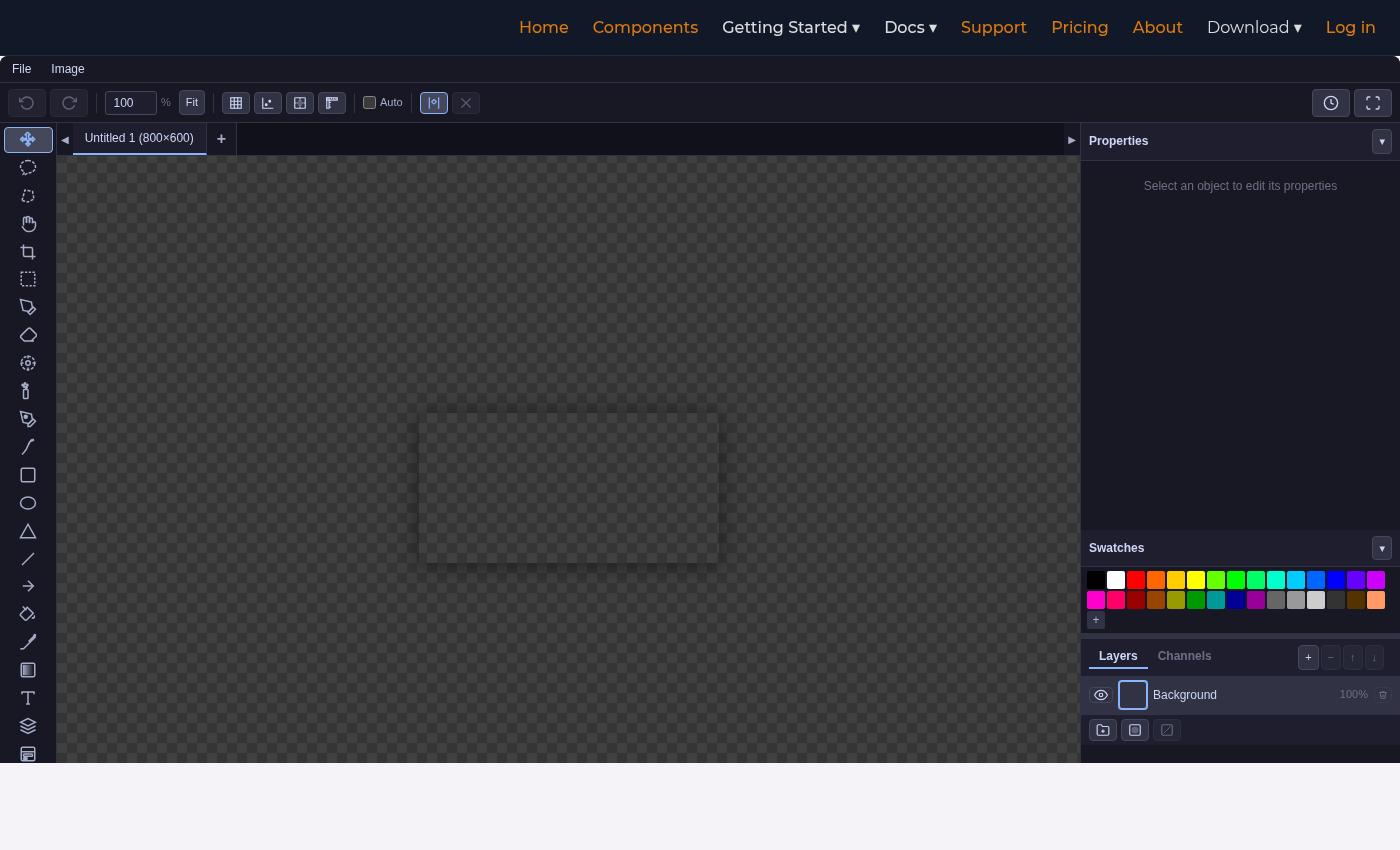
A desktop-class image editor inside your Blazor app
Full layer support, 23 drawing tools, blend modes, adjustments, and export to PNG, JPEG, WebP, or SVG. Switch to Banner Editor mode to design multi-format ad creatives from a single canvas.
- Multi-layer with blend modes
- Curves, levels, color balance
- Clone stamp & spray tools
- Edge detection & analysis
- 4 built-in themes
- Save/load native .BPTI format
- Banner template presets
- Crop, skew, smart filters
SSH access directly from the browser
A full terminal emulator with multi-tab sessions, real shell access via PTY allocation, and 9 themes from modern dark to retro Commodore 64. Embed admin consoles, build deployment dashboards, or give developers a browser-based dev environment.
- Real PTY shell access
- Multi-tab sessions
- 9 themes (modern + retro)
- Sandbox mode for demos
- Docked, floating, collapsed
- Auto-reconnect
- Full ANSI color support
- Cross-platform shells
Real-time server metrics in your dashboard
Drop a live monitoring widget into any Blazor page. WebGL-rendered charts stream CPU, GPU, memory, and network data over SignalR — including per-core breakdowns and top processes. Monitor local or remote servers from a single dashboard.
- CPU, GPU, memory, network
- Per-core breakdown
- WebGL line charts
- Live process list
- Multi-server support
- Real-time log streaming
- 6 themes (incl. NVIDIA, ROG)
- Sandbox mode for demos
A complete landing-page builder embedded in your app
Drag-and-drop visual editor with multi-page projects, live HTML/CSS/JS tabs, inline editing, and a portable native —.bptl— save format. Export to clean standalone HTML with content-isolated themes, built-in GDPR consent flows, and full localisation.
- Multi-page drag & drop editor
- Live HTML / CSS / JS tabs
- Standalone HTML export
- Nested GDPR consent handling
- Template gallery + theming
- Undo/redo + version history
- Responsive desktop/tablet/mobile preview
- .bptl save/load + i18n built-in
Trusted by developers shipping in production
Real teams building real apps with Blazor Power Tools.
Cut our component build time in half. The grid, date pickers, and theme builder alone saved us weeks on a tight enterprise deadline.
The in-browser SSH terminal is a game-changer for our internal tooling. Our ops team can manage servers without leaving the dashboard.
WebGL animations and real-time charts out of the box — no third-party dependencies, no canvas fighting. Just drop in a component and it works.
Up and running in minutes
Three steps to your first Blazor Power Tools component.
Install the package
dotnet add package BlazorPowerToolsRegister in Program.cs and wrap your layout
// Program.cs
builder.Services.AddBlazorPowerTools();

// MainLayout.razor (or base layout)
<BptRootComponent>
    @Body
</BptRootComponent>Use components
<BptDateSelector @bind-Value="selectedDate" />
<BptDropdown Items="items" @bind-Value="selected" />
<BptRating @bind-Value="rating" MaxValue="5" />
<BptSwitch @bind-Value="isEnabled" Label="Dark mode" />Resources & Support
Everything you need to be productive with Blazor Power Tools.
Documentation
Component API reference, architecture guides, and integration patterns.
Getting Started
Step-by-step setup: NuGet feed, license key, and your first component.
Theme Building
Design custom themes with the visual builder and CSS custom properties.
Support
Submit tickets, report bugs, and get help from the team.
Frequently asked questions
Everything you need to know before you buy.
Can I try it before buying?
What .NET versions are supported?
Do I need both Server and WebAssembly hosting?
How do updates work?
.csproj and restore — that's it. All releases follow semantic versioning
and include full release notes at /release-notes.